
Dated product story
Backing up your phone photos should feel trustworthy
Exact-version Android backup receipts distinguish backed-up files from files needing attention; general camera-roll cleanup remains planned.
Historical article, reviewed 2026-08-20. This post mixes implemented Android backup-state foundations with planned cleanup and sharing work. Check the current releases, compatibility notes, and current Android photo-backup guide before relying on it.
Phone photo backup has one job that matters more than every animation and gallery layout: tell the truth about whether a photo is safe. A green check should mean the exact version on the phone reached the expected account and was verified on the server. It should not mean that a file with the same name was uploaded once.
That distinction matters when the phone is full, a photograph was edited after its first upload, or a background transfer stopped halfway through a large camera folder. Nextcloud Native organizes photo backup around visible evidence rather than optimistic queue state.
A backup badge has to mean something
Many backup tools reduce every file to uploaded or not uploaded. Real life has more states: waiting for Wi-Fi, currently transferring, uploaded but not yet verified, changed after upload, failed with a retry, intentionally excluded, or stored only in the cloud after local cleanup.
Without those distinctions, people have to open the server, compare folders, and guess before deleting anything. The problem becomes worse when an app "organizes" uploaded media by moving it into a private app folder. That can hide recent photos from WhatsApp, Instagram, Discord, editors, and Android's normal media picker.
Nextcloud Native keeps current media in the normal Android library. Backup status is metadata about the file, not a new place the user has to keep it.
Transfer state and backup evidence are different
Media backup separates the transfer queue from backup evidence. A successful upload job is not enough to label a photo safe. The app records which local version was sent, which remote version was observed afterward, which account and destination were involved, and when verification completed.
The UI can then present meaningful states:
- Waiting means the item is queued but has not started.
- Uploading includes real progress for the current attempt.
- Verifying means bytes were sent and the server result is being checked.
- Backed up means the current local version matches durable verification.
- Changed means the phone file was edited after that verification.
- Failed keeps the reason and offers a safe retry.
- Cloud only means the verified local copy was removed with user confirmation.
These states live in a compact summary and paged history. The app remains responsive even when a camera roll contains tens of thousands of completed items.
From camera folder to verified copy
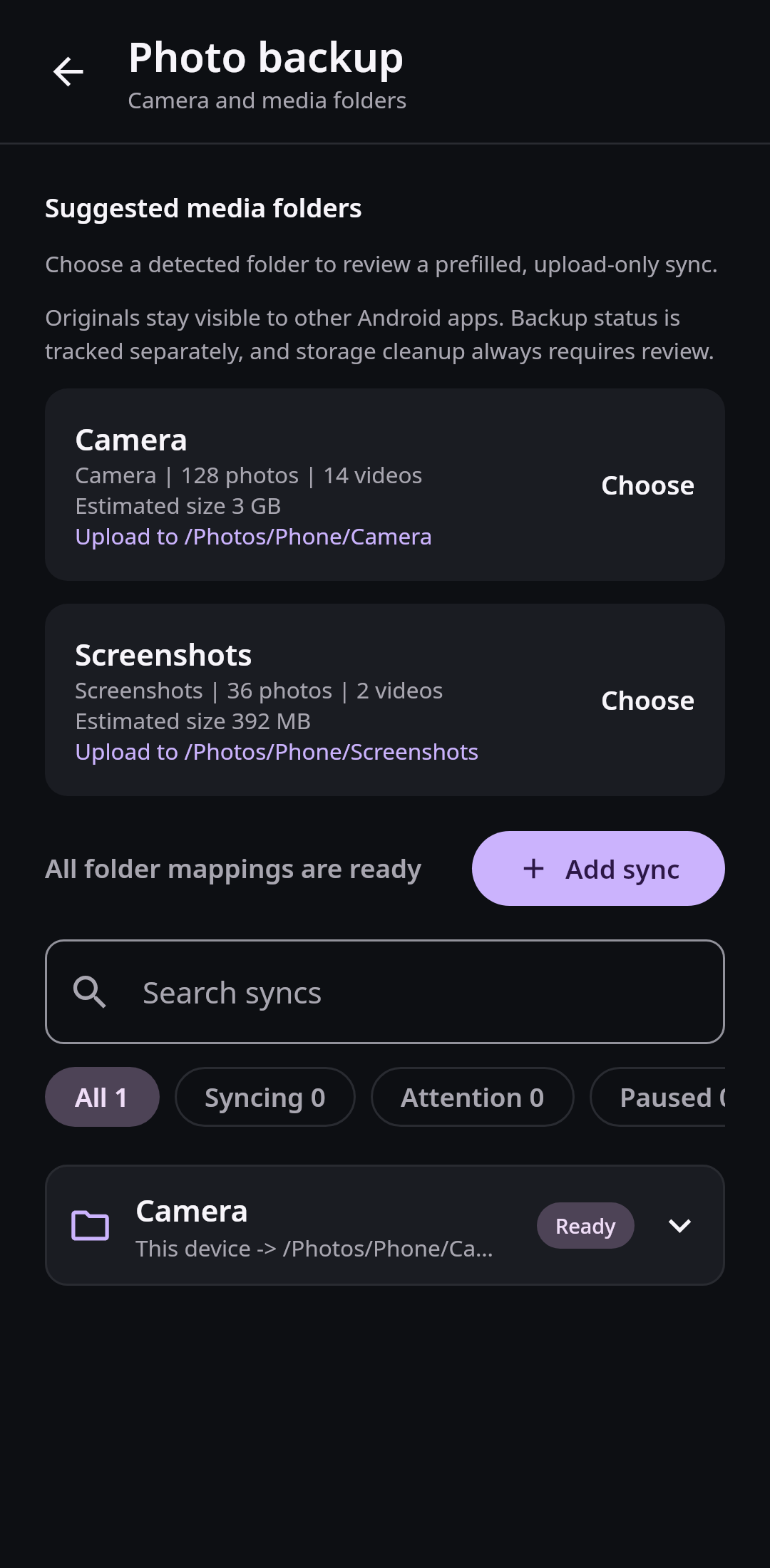
You enable backup for the Camera folder. Before saving, Nextcloud Native shows a small preview of the folder contents, the selected account, and a native picker for the Nextcloud destination. You choose whether transfers may use mobile data, whether videos are included, and whether background work should wait for charging.
After a weekend trip, the home screen says that most items are backed up, several videos are waiting for Wi-Fi, and one edited RAW/JPEG pair needs attention. Opening the transfer center starts with the useful summary. Pending and failed items appear first; completed history is available without loading every row into memory.
You edit a JPEG on the phone after it was uploaded. Its local revision no longer matches the verification record, so it returns to Changed. The older server copy still exists, but the app does not pretend that the new edit is protected.
The domain model can identify exact local versions that have a matching remote receipt. The current product does not expose a complete general camera-roll cleanup action based on that evidence. Do not delete local originals because a screenshot or ledger state says Backed up. Keep an independent backup.
Cloud-only sharing is planned
The intended cleanup design keeps a cloud-only photograph visible and downloads a temporary verified copy when another Android app needs it. That complete cleanup-and-share workflow is not a supported end-to-end product feature yet. A cloud-only ledger state by itself is not permission to remove a local original.
Formats and devices keep their meaning
RAW originals remain distinct from JPEG fallbacks, while matching RAW/JPEG pairs can appear as one stack without hiding either file. Live Photo and Motion Photo models keep still-image and motion-video assets distinct where the current Android media pipeline can identify them. Edited derivatives, bursts, videos, HEIC, and broader image formats need explicit format evidence rather than being treated as interchangeable JPEG files.
Android vendors impose different background and battery rules, so folder status also explains when the operating system paused work. Recovery and retry are visible without turning every completed upload into a live card.
What a complete storage cleanup path still needs
Folder discovery and preview connect to a durable, account-scoped transfer store. Native local and remote destination pickers feed compact pending, failed, and completed views, while account identity belongs in every queue and verification record.
A future storage review must derive candidates from exact verification evidence. Temporary cloud-only sharing, RAW/JPEG grouping, and bounded history belong in the same model instead of hiding several safety decisions behind one "photo backup" checkbox.
Proof belongs outside the queue
A queue answers what work should run. It is mutable: entries retry, change priority, or eventually move to history. Backup evidence answers a different question: which exact local revision was proven to correspond to which remote revision.
Keeping those records separate prevents queue cleanup from erasing safety information. SQLite provides transactional updates and indexed queries by account, folder, state, and time. A worker can commit the remote verification and completed job atomically, while the UI reads bounded summaries and pages. Cleanup eligibility is derived from evidence for the current local revision, never from a filename or a past success badge.
Delivery roadmapSafe photo backup and Memories0.2 Safe sync and media In progress View linked issues
Looking for concise version-by-version changes? Read the changelog.